Computers and Electronics
Sub Category

🔴 Subscribe for more videos like this: https://www.youtube.com/channe....l/UCqvAGPaZpWEzys6de
Join/Membership to Amar's Classes: https://www.youtube.com/channe....l/UCqvAGPaZpWEzys6de/join
Members Only Videos: https://www.youtube.com/playli....st?list=UUMOqvAGPaZp
ಟೆಲಿಗ್ರಾಮ್ ಚಾನೆಲ್ ಲಿಂಕ್:
Telegram Channel Link: https://t.me/amarsclasses
GI Tags of Karnataka: https://youtu.be/Cp2hOJ0O6cM
Tribes of Karnataka: https://youtu.be/gNsrI1KX4uc
Tribes of India PART-1: https://youtu.be/5LPB-o-KFQU
Tribes of India PART-2: https://youtu.be/bH5gGKQFdc8
Wimbledon 2023: https://youtu.be/w7GD1Zp9bac
UNESCO World Heritage Sites of India: https://youtu.be/ub-Y0KvVl28
National Awards of India 2023: https://youtu.be/DgTHiX48-zM
State Awards of Karnataka 2023: https://youtu.be/rOaf2jtsiSc
International Awards Karnataka: https://youtu.be/rf9EXhn3Kso
Military Exercises: https://youtu.be/K3us0U8GnrE
Books and Authors 2023: https://youtu.be/AfpUt3FF51g
Dance Forms of India: https://youtu.be/pVp6dwZZiWo
Oscar Awards 2023: https://youtu.be/hOp48FoHz2I
Padma Awards 2023: https://youtu.be/q9sEfu5uyF4
Insitu-Exsitu Conservation: https://youtu.be/6aVo5QrBpR4
French Open 2023: https://youtu.be/CuXdOAtp2fc
International Organizations: https://youtu.be/OS2iA4uQvCU
Indexes and Reports 2023: https://youtu.be/XmBoTQqTX38
Karnataka Budget PART-2: https://youtu.be/kXAiA85w1S4
Karnataka Budget PART-1: https://youtu.be/sf_hyi9TmE8
National Parks, Tiger Reserves Wildlife Sanctuaries of Karnataka: https://youtu.be/t7C2Eyxu3DU
IUCN Redlist, Ramsar Sites: https://youtu.be/UO1j9mlMASw
......
For a Complete list search: Amar's Classes Youtube Channel.


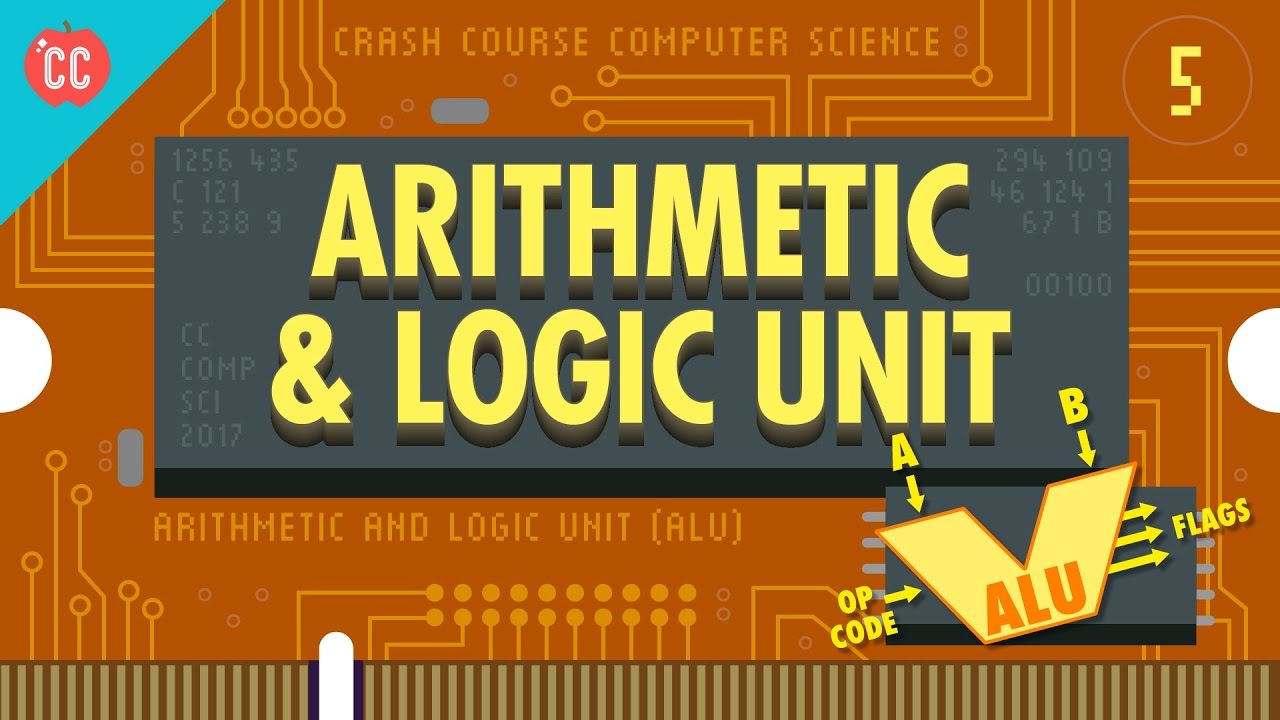
Today we're going to talk about a fundamental part of all modern computers. The thing that basically everything else uses - the Arithmetic and Logic Unit (or the ALU). The ALU may not have to most exciting name, but it is the mathematical brain of a computer and is responsible for all the calculations your computer does! And it's actually not that complicated. So today we're going to use the binary and logic gates we learned in previous episodes to build one from scratch, and then we'll use our newly minted ALU when we construct the heart of a computer, the CPU, in episode 7.
*CORRECTION*
We got our wires crossed with the Intel 4004, which we discuss later. The 74181 was introduced by Texas Instruments in 1970 but appeared in technical manuals around 1969. The design of the 74181, like most of the 74xx/74xxx series, was an open design which was manufactured by many other companies - Fairchild was one such manufacturer. They produced a chip, the Fairchild 9341, which was pin-for-pin compatible with the 74181.
Fairchild was the first to prototype an ALU, building the Fairchild 4711 in 1968 - a one-off device not optimized for scale manufacturing. In 1969, Signetics came out with the 8260, which they marketed in a very limited sense (it was attached, AFAICT, to one particular computer, the Data General SUPERNOVA). TI follows afterwards (March 1970) with the 74181, coupled with the 9341 from Fairchild. The 74181 became the standard number for this part, and was available from many manufacturers (back in those days, chip makers cross-licensed designs all over the place in order to provide assurance that their part could be sourced from multiple manufacturers).
Produced in collaboration with PBS Digital Studios: http://youtube.com/pbsdigitalstudios
The Latest from PBS Digital Studios: https://www.youtube.com/playlist?list...
We’ve got merch!
https://store.dftba.com/collections/crashcourse
Want to know more about Carrie Anne?
https://about.me/carrieannephilbin
Want to find Crash Course elsewhere on the internet?
Facebook - http://www.facebook.com/YouTubeCrashC...
Twitter - http://www.twitter.com/TheCrashCourse
Tumblr - http://thecrashcourse.tumblr.com
Support Crash Course on Patreon: http://patreon.com/crashcourse
CC Kids: http://www.youtube.com/crashcoursekids
Want to find Crash Course elsewhere on the internet?
Facebook - http://www.facebook.com/YouTubeCrashCourse
Twitter - http://www.twitter.com/TheCrashCourse
Tumblr - http://thecrashcourse.tumblr.com
Support Crash Course on Patreon: http://patreon.com/crashcourse
CC Kids: http://www.youtube.com/crashcoursekids

That's enough monkey business for me.
Guys, check out Genshin Impact version 1.6 update: https://mhy.link/d26pEBA6
Let me know how you guys like The Midsummer Island Adventure Event!
Thanks to Genshin Impact for supporting my channel!
~LIKE & SUBSCRIBE~
JOIN for Discord and Benefits!: https://www.youtube.com/butteredsidedown/join
PATREON:
https://patreon.com/butteredsidedown
TWITTER:
https://twitter.com/ButteredSideDwn
INSTAGRAM:
https://www.instagram.com/thebutteredsidedown/
REDDIT:
https://www.reddit.com/r/ButteredSideDown/
TIKTOK:
https://www.tiktok.com/@thebutteredsidedown
FACEBOOK:
https://www.facebook.com/TheButteredSideDown
BRAVE:
https://brave.com/but949
Subscribe to our channel to enjoy reality bending comedy videos! Comedy, visual effects, do it yourself, mayhem, parody and more can be found within Buttered Side Down.
View full lesson: http://ed.ted.com/lessons/insi....de-your-computer-bet
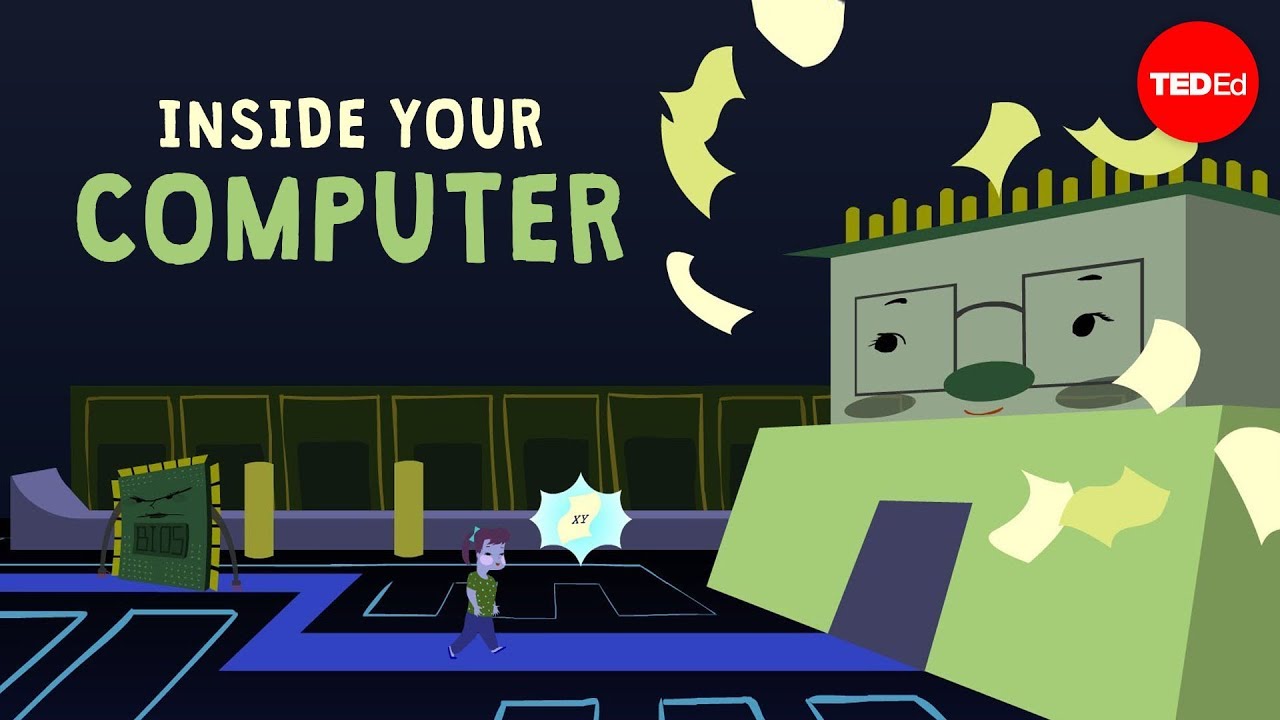
How does a computer work? The critical components of a computer are the peripherals (including the mouse), the input/output subsystem (which controls what and how much information comes in and out), and the central processing unit (the brains), as well as human-written programs and memory. Bettina Bair walks us through the steps your computer takes with every click of the mouse.
Lesson by Bettina Bair, animation by Flaming Medusa Studios.
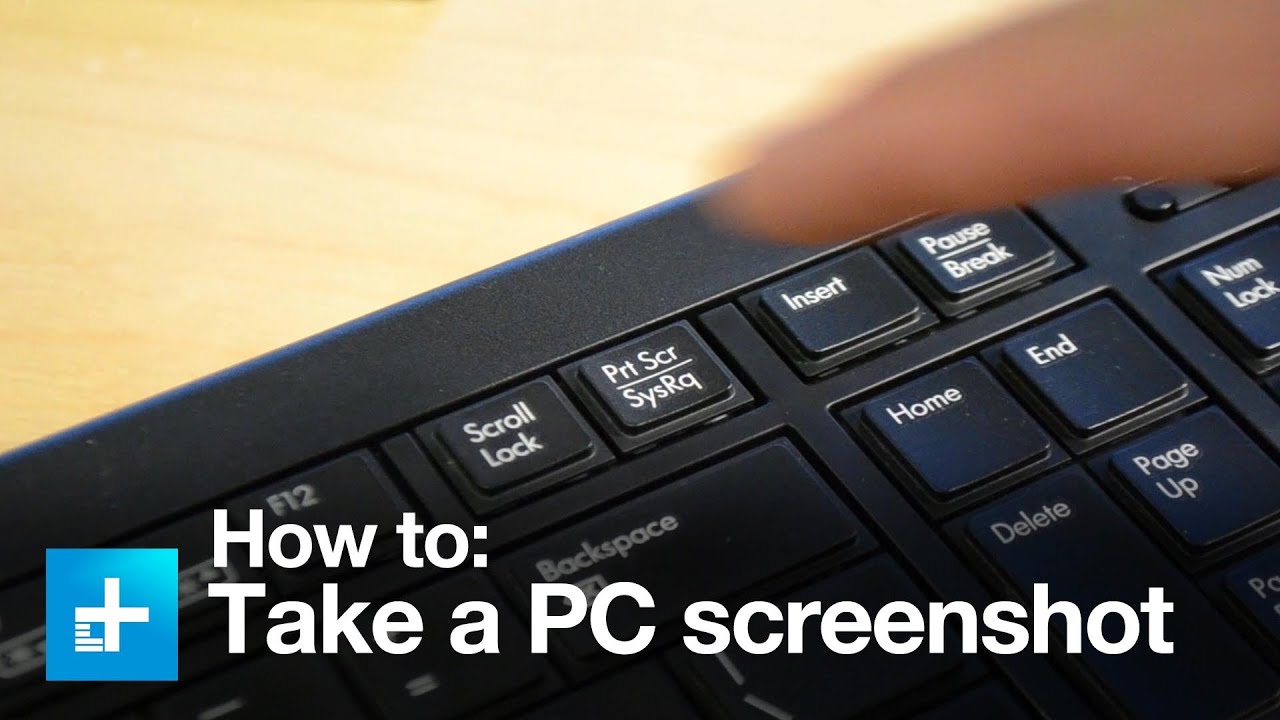
We could spend all day arguing the merits of a good screen-capture utility. They are quick and efficient, often providing a simple way to take a JPG snapshot of an application window or your entire display in a matter of seconds without the need to download any external software. Perhaps you need to send a screenshot to tech support, email an image to a friend, or, if you’re like us, capture a screenshot for an awesome how-to guide about how to take a screenshot on a PC. Luckily, Windows has several built-in features for taking and saving screenshots for whatever reason you might need them, and they’re only a couple of keyboard clicks away. All three methods covered in this guide are free, no hassle, and work fantastically on nearly all machines built in the last decade and beyond. Let’s take a look.
For our full written step-by-step instructions click here: http://www.digitaltrends.com/c....omputing/how-to-take
Updated video here: https://www.youtube.com/watch?v=RnRHRmIAHck
#screenshot #ScreenshotPC #printscreen #HowToScreenshot #PCscreenshot #TakeScreenshot

The fetch-execute cycle is the basis of everything your computer or phone does. This is literally The Basics. • Sponsored by Dashlane —try 30 days for free at: https://www.dashlane.com/tomscott
Thanks to Dashlane for sponsoring the video! If you're techie enough to watch this video, you should be using a password manager. Get a 30-day free trial at https://dashlane.com/tomscott
MORE BASICS: https://www.youtube.com/playli....st?list=PL96C35uN7xG
MINOR CORRECTIONS:
In the graphics, "programme" should be "program".
I say "Mac instead of PC"; that should be "a phone instead of a PC".
And most importantly, I say "every sixth cycle": that should be "every ninth".
Fortunately, none of these materially affect the content of the video!
Written with Sean Elliott https://twitter.com/SeanMElliott/
Directed by Tomek
Graphics by Mooviemakers https://www.mooviemakers.co.uk/
Audio mix by Haerther Productions https://haerther.net/
🟥 MORE FROM TOM: https://www.tomscott.com/
(you can find contact details and social links there too)
📰 WEEKLY NEWSLETTER with good stuff from the rest of the internet: https://www.tomscott.com/newsletter/
❓ LATERAL, free weekly podcast: https://lateralcast.com/ https://youtube.com/lateralcast/
➕ TOM SCOTT PLUS: https://youtube.com/tomscottplus
👥 THE TECHNICAL DIFFICULTIES: https://youtube.com/techdif

Chromebook tip to trick your friends!
I hope you can find value in this video and if you do, would you mind giving a like? and consider subscribing for more, Than you.
🔴 GIVE YOUR BOY SOME LOVE
https://www.youtube.com/channe....l/UCszgjY6tvrv63F6F-
TikTok:
https://www.tiktok.com/@jd.lion?lang=en
Twitch:
https://www.twitch.tv/jd_lion
Instagram:
https://www.instagram.com/jd.lion012/
Merch:
https://merch.streamelements.com/jdlion
#chromebook #tech #school

Check out Crucial NVMe SSDs Here: https://crucial.gg/BranchEducation_P5
Have you ever wondered why it takes time for computers to load programs or video games? Also, ever wonder why your computer uses both DRAM as well as SSDs when they both are used to store data?
Well, most of that time is spent moving data from a hard drive or SSD into DRAM or Dynamic Random Access Memory, which is the working memory inside your computer. In this video, we're going to take a very deep dive into DRAM. We'll see how it connects to other parts of your computer, and then we'll explore how DRAM can store gigabytes of data in nanoscopic capacitors. After that, we'll cover the three main operations of DRAM: Reading, Writing, and Refreshing. And finally, we'll dive deep into some more complex aspects of DRAM that make it so amazingly fast such as folded DRAM architecture. We'll also learn what burst buffers are, and why there are so many banks of DRAM memory cells.
Do you want to support in-depth engineering and technology education?
Support us at: https://www.patreon.com/brancheducation
Website: https://www.branch.education
On Facebook: https://www.facebook.com/BranchEducation/
On Twitter: https://twitter.com/TeddyTablante
On Insta: https://www.instagram.com/brancheducation/
Thanks to Nathan, Peter, and Jacob for helping research and review this video! They're doctoral students at the Florida Institute for Cybersecurity Research, and you can learn more about their program here: https://fics.institute.ufl.edu/
Table of Contents:
00:00 - Intro to Computer Memory
00:47 - DRAM vs SSD
02:23 - Loading a Video Game
03:25 - Parts of this Video
04:07 - Notes
06:10 - Intro to DRAM, DIMMs & Memory Channels
10:43 - Crucial Sponsorship
12:09 - Inside a DRAM Memory Cell
15:28 - An Small Array of Memory Cells
17:41 - Reading from DRAM
19:38 - Writing to DRAM
21:55 - Refreshing DRAM
23:16 - Why DRAM Speed is Critical
25:06 - Complicated DRAM Topics: Row Hits
26:21 - DRAM Timing Parameters
27:51 - Why 32 DRAM Banks?
29:17 - DRAM Burst Buffers
30:58 - Subarrays
32:02 - Inside DRAM Sense Amplifiers
34:24 - Outro to DRAM
Key Branches from this video are: How do Solid State Drives Work?
Erratum:
At 10m 08s : Cicruit || Should be Circuit
At 21m 54s : 32 Bank Groups || Should be 32 Banks.
Script, Modeling, Animation: Teddy Tablante
Twitter: @teddytablante
Animation: Mike Radjabov
Modeling: Prakash Kakadiya
Voice Over: Phil Lee
Sound Design: www.drilu.mx
Music Editing: Luis Zuleta
Sound Effects: Paulo de los Cobos
Supervising Sound Editor and Mixer: Luis Huesca
Animation built using Blender 3.1.2 https://www.blender.org/
Post with Adobe Premiere Pro
References:
DDR5 SDRAM. JEDEC Standard. JESD79-5 July 2020
Dr. Cutress, Ian. "Insights into DDR5 Sub-Timings and Latencies". Oct 6th, 2020.
Dr. El-Maleh, Aiman. "Functions and Functional Blocks: Digital Logic Design" College of Computer Sciences and Engineering. King Fahd University of Petroleum and Minerals.
Hajimiri, Ali. Et al. "Design Issues in Cross-Coupled inverter Sense Amplifier". IEEE. Stanford University 1998
IBM. Understanding DRAM Operation. IBM 1996.
Jacob, Bruce. NG, Spencer W. Wang, David T. "Memory Systems: Cache, DRAM, Disk." Elsevier Inc. 2008
Keeth, Brent. Baker, R Jacob. Johnson, Brian. Lin, Feng. "DRAM Circuit Design: Fundamental and High-Speed Topics." IEE Press 2008.
Kim, Yoongu et. Al. "A Case for Exploiting Subarray-Level Parallelism in DRAM". Carnegie Mellon University
Lee, Donghuk et.al. "Tiered-Latency DRAM: A Low Latency and Low Cost DRAM Architecture. Carnegie Mellon University
Micron. "DDR4 SDRAM. MT40A4G4. MT40A2G8. MT40A1G16. 16Gb: x4, x8, x16 DDR4 SDRAM Features" Micron Technologies 2018
Micron. "DDR5 SDRAM Product Core Data Sheet DDR5SDRAM Features." Micron Technologies 2020
Ryan, Kevin J. Morzano, Christopher K. Li, Wen. "Write Data Masking for Higher Speed DRAMS" US Patent 6532180 B2 Mar. 11 2003.
Shilov, Anton. "SK Hynix Details DDR5-6400". ANANDTECH. Feb 26th, 2019.
Sunami, Hideo. "Dimension Increase in Metal-Oxide Semiconductor Memories and Transistors". From intechopen.com. From "Advances in Solid State Circuit Technologies". Apr 2010.
Wikipedia contributors. "CAS Latency". "DDR5 SDRAM". "Dynamics Random-Access Memory". "Memory Timing". "Synchronous Dynamic Random-Access Memory". Wikipedia, The Free Encyclopedia. Wikipedia, The Free Encyclopedia, Visited Nov 2022
#DRAM #CPU #Computer

This custom gaming pc has $6000 worth of technology . An RTX 4090 , i9-13900KF , 8TB NVMe , 128GB DDR5 , 2 14TB HDD's , and an overheating issue! Which is why it's in my computer repair shop. Because the 240mm AIO can't cool this under stres, undervolting the CPU was the only option until a larger AIO can be purchased. This tech runs hot and needs to be cooled properly.

For more on spin, check out: http://youtu.be/v1_-LsQLwkA
This video was supported by TechNYou: http://bit.ly/19bBX5G
A quantum computer works in a totally different way from a classical computer. Quantum bits or 'qubits' can exist in a superposition state of both zero and one simultaneously. This means that a set of two qubits can be in a superposition of four states, which therefore require four numbers to uniquely identify the state. So the amount of information stored in N qubits is two to the power of N classical bits.
Thank you to Andrea Morello and UNSW. For more info, check out: http://bit.ly/17wZ7lt


What is a floating point number? And why does it produce rounding errors for programmers?
#shorts #compsci #math
Learn something? Keep the content flowing https://github.com/sponsors/codediodeio
Resources:
https://engineering.fb.com/201....8/11/08/ai-research/
https://0.30000000000000004.com/
https://floating-point-gui.de/formats/fp/

Thanks to UGREEN for sponsoring this video! Check out their PowerRoam 1200W, 145W Power Bank, Revodok Pro 12-in-1 Docking Station, and Ugreen Black Fridays deals (Up to 50% OFF during 11/23-27) below:
Ugreen Revedok Pro 13 in 1 hub: https://bit.ly/3R5pPiR (Total of $40 OFF with code: 10ZT555E )
Ugreen 145W Power Bank: https://bit.ly/3us3zXS ($60 OFF)
Ugreen PowerRoam 1200W with 200W Solar: https://bit.ly/3R6pIUk ($450 OFF)
Ugreen Revodok Pro 12-in-1 with 100W GaN Charger: https://bit.ly/3Rgpc6t ($120 OFF)
Ugreen Black Friday Deals (US AMZ) : https://bit.ly/46i9UC9
Ugreen Black Friday Deals ( US Website) : https://bit.ly/3szmdfQ
Ugreen Black Friday Deals (CA): https://bit.ly/3G7KL2A
Compensator is back baby and this year its wild. Featuring the most overkill parts from the likes of Intel, Nvidia, ASUS ROG, and so much more this beast of gaming rig is going to blow your mind.
Discuss on the forums: https://linustechtips.com/topi....c/1541943-compensato
Check out the Build:
Regner Cooling System PRO Case: https://lmg.gg/pioSO
Intel Core i9 13900K CPU: https://geni.us/JmZA
MSI MEG Z790 GODLIKE Motherboard: https://lmg.gg/8xUJz
G.SKILL Trident Z5 RGB 6800MHz CL34 2x48GB DDR5 RAM
Sabrent Rocket 4 Plus 8TB NVMe M.2 SSD: https://geni.us/RuByC
Team Group EX2 SATA III 8TB SSD: https://bit.ly/3Sq9pTp
EKWB EK-Quantum Delta² TEC Full Nickle Water Block System: https://lmg.gg/ZHrgM
EKWB EK-XTOP Revo Dual D5 PWN Serial Pump: https://geni.us/i61kD
Inno3D iChill RTX 4090 Frostbite Ultra: https://lmg.gg/oX3xG
ASUS ROG Thor 1600W Titanium PSU: https://geni.us/q33J
Samsung Odyssey Ark 165Hz 55" Monitor: https://geni.us/nHlQyT
Mountain Everest Max Modular Mechanical Keyboard: https://geni.us/5mKzDf7
Razer Viper Mini Signature Mouse: https://lmg.gg/p9EEu
Audeze LCD-GX Planar Magnetic Gaming Headset: https://geni.us/iLE0P
AVerMedia GC573 Capture Card: https://lmg.gg/fy7hQ
Apple Macbook Pro M1 Max: https://geni.us/bVeknf
Corsair XTM70 Thermal Paste: https://geni.us/t2fz
Cablemod Cables: https://lmg.gg/nFYa8
Corsair iCue LS100 Smart Lighting Strip Starter Kit: https://lmg.gg/D4HXI
Gerolsteiner Carbonated Natural Mineral Water: https://geni.us/zfs0
Buy an EKWB EK-Quantum Velocity² D-RGB 1700 Nickel + Gold Water Block: https://lmg.gg/ayyG6
Buy a Samsung Odyssey G9 240Hz 49" OLED Monitor: https://lmg.gg/FA477
Buy Corsair QX120 RGB Case Fans: https://geni.us/DFcy
Buy an Audeze Maxwell Wireless Gaming Headset: https://geni.us/fImuGA
Purchases made through some store links may provide some compensation to Linus Media Group.
Purchases made through some store links may provide some compensation to Linus Media Group.
► GET MERCH: https://lttstore.com
► GET EXCLUSIVE CONTENT ON FLOATPLANE: https://lmg.gg/lttfloatplane
► SPONSORS, AFFILIATES, AND PARTNERS: https://lmg.gg/partners
► EQUIPMENT WE USE TO FILM LTT: https://lmg.gg/LTTEquipment
► OUR WAN PODCAST GEAR: https://lmg.gg/wanset
FOLLOW US
---------------------------------------------------
Twitter: https://twitter.com/linustech
Facebook: http://www.facebook.com/LinusTech
Instagram: https://www.instagram.com/linustech
TikTok: https://www.tiktok.com/@linustech
Twitch: https://www.twitch.tv/linustech
MUSIC CREDIT
---------------------------------------------------
Intro: Laszlo - Supernova
Video Link: https://www.youtube.com/watch?v=PKfxmFU3lWY
iTunes Download Link: https://itunes.apple.com/us/al....bum/supernova/id9368
Artist Link: https://soundcloud.com/laszlomusic
Outro: Approaching Nirvana - Sugar High
Video Link: https://www.youtube.com/watch?v=ngsGBSCDwcI
Listen on Spotify: http://spoti.fi/UxWkUw
Artist Link: http://www.youtube.com/approachingnirvana
Intro animation by MBarek Abdelwassaa https://www.instagram.com/mbarek_abdel/
Monitor And Keyboard by vadimmihalkevich / CC BY 4.0 https://geni.us/PgGWp
Mechanical RGB Keyboard by BigBrotherECE / CC BY 4.0 https://geni.us/mj6pHk4
Mouse Gamer free Model By Oscar Creativo / CC BY 4.0 https://geni.us/Ps3XfE
CHAPTERS
---------------------------------------------------
0:00 The Rules of Compensator
0:54 CPU
1:50 Motherboard
2:27 RAMc
3:53 Storage
4:36 CPU Cooler/Case(?)
6:41 Thermal Paste
8:30 Metal LTT Screwdriver (Coming soon, maybe?)
11:57 UGREEN's Revodok Pro 12-in-1 Docking Station
12:39 PSU
14:50 RGB + Fans
18:20 GPU
25:07 Monitor
25:56 Fans
26:07 Capture Card
28:29 Headphones
28:56 Is it working?
30:57 But how much does it weigh
31:16 Power consumption
33:15 Does it run cry...cyberpunk
34:25 Outro
Thanks to http://www.audible.com/minutephysics for supporting this video!
MinutePhysics is on Google+ - http://bit.ly/qzEwc6
And facebook - http://facebook.com/minutephysics
And twitter - @minutephysics
Minute Physics provides an energetic and entertaining view of old and new problems in physics -- all in a minute!
Music by Nathaniel Schroeder http://www.soundcloud.com/drschroeder
This video made possible by the following Patreon Supporters:
Mark
Wes Brown
John Green
Florian Philipp
Rens van der Heijden
Bob Bolch
Daniel Ametsreiter
Joël Quenneville
Richard Pearson
David Dailey
Steven Mulder
Karim
Ethi Raj
Ryan Kyle
William Ricketts
Collin Mandris
Matt
Jonathan Foster
Siddharth Sadanand
Maarten Daalder
Robby Olivam
Alan Browning
Jonathan Piersa
Julia Person
James Craver
Sarah Chavis
Yonatan Bisk
Richard Campbell
Chris Barrett
Jan A
Christopher Coleman
Daniel “YoureDown” Breger
Hendrik Payer
Daniel Yip
Matt K
William Pearson
Kevin Lynch
Nick Ward
Kevin
john eriksson
Allan Farrell
Tobias Olesen
Chris Chapin
Michael Keefe
Jon Mann
Bert Goethals
Joji Wata
Adam Naber
Rob Ibsen
Jacob Gumpert
Peter Collier
Andi Davis
Aarthy
Raymond Cason
Evan Gale
Paul
Tori McClanahan
Andrew Stobie
Dominik Steenken
Danilo Metzger
Christian Altenhofen
Ezra Lee
Roy Morgan
Olivia Darroch
Amber Ciarvella
ryan horlacher
Keith Chang
Milokot
Janel Christensen
Will Scherer
Mike Fulcher
Larom Lancaster
Liam Callaway
John Harman
Christos Papandreou
Fernando Pazin
Johnathon Kinville
Jason Medrano
Andrew Barnett
Katharina Schuchmann
John Gietzen
Michael Tardibuono
Matthew Hebert
Christy Filipich
Pierre-Louis Bourgeois
Genevieve Lawrence
Brian D'Agostini
Chris
Dominik Menzi
Ryan A. Schauer
Daniel Johnson
Nico Houbraken
Michael Carr
Ragnhild
Elizabeth Meisterling
Lysann Schlegel
Magnus Krokstad
Chase Turner
Owain Blackwood
Russ Arrell
Brenden Bullock
Asaf Gartner
Mark Samberg
Tina Johnston
Mike Cochrane
Tom Murphy
Peter L
Jeff
Erica Pratt
David
Artur Szczypta
David Drueding
Nicklas Ulvnäs
Nigel W
James Nelson
Mary Foster-Smith
Clayton Neff
Michael Merino
Jason and Gayle Corfman
Mihaly Barasz
Steven Klurfeld
Richard Bairwell
Tamas Bartal
Erven
Justin Prahl
Michael Maitlen
John Harman
Hans van Staveren
Kasey
Karlin Nazario
M K
Jacques LABBÉ
Geralyn Byers
jason black
Candice Blodgett
Daniel Gibbs
Henry Berthelsen
Andy Kittner
Steve Hall
Erdumas
Rob Snyder
John Kelly
Jessica Rosenstein
Bill Tomiyasu
Vasco Simões
Eoin
Simon Hammersley
iain
Holger
Alexis Carpenter
Jay Goodman
Joseph Perry
Mark Govea
Eduardo Rampelotto Gatto Created by Henry Reich

Thanks to our friends at "Halt and Catch Fire"! Check it out!
http://www.amctv.com/shows/halt-and-catch-fire
Premieres June 1st, Sundays 10/9c on AMC
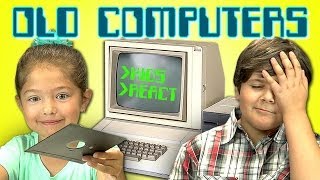
Old Computers Bonus Reactions: http://goo.gl/h0s76k
NEW Vids Sun, Tues & Thurs! Subscribe: http://goo.gl/nxzGJv
Watch all main React episodes (Kids/Teens/Elders/YouTubers): http://goo.gl/4iDVa
Watch the kids try and figure out how to use a 1970's era computer in another special Old Technology episode!
SUBSCRIBE TO AMC!
https://www.youtube.com/user/amc
Kids React to Old Cameras - http://goo.gl/rt5RGk
Kids React to Rotary Phones - http://goo.gl/kgoUkY
Kids React to Walkmans - http://goo.gl/eXsGVg
Kids React to Game Boy - http://goo.gl/P3F5Wd
Kids React to Typewriters - http://goo.gl/f2dkQz
Follow FBE:
MAIN CHANNEL: http://www.youtube.com/FBE
SECOND CHANNEL: http://www.youtube.com/FBE2
REACT CHANNEL: http://www.youtube.com/REACT
FACEBOOK: http://www.facebook.com/FBE
FACEBOOK: http://www.facebook.com/FBEShows
TWITTER: http://www.twitter.com/fbe
INSTAGRAM: http://www.instagram.com/f/fbe
SNAPCHAT: https://fbereact.com/snapchat
----------------------------------------------------------------
This episode featured the following amazing kids!
Lucas, age 6
Sydney, age 6
Evan, age 7
Brooke-Monaé, age 8
Dash, age 9
Kacey, age 9
Krischelle, age 9
Tyler, age 9
Jayka, age 11
Dylan, age 12
Derek, age 13
------------------
If you see this, type "KIDS REACT FTW!" in the comments - and please LIKE/FAV!
Music by Joseph Carrillo
http://www.youtube.com/houseofblackbirds
Additional music:
http://www.incompetech.com
-------------------------------------
KIDS REACT #104 - Old Computers

ආයුබෝවන් ! WELCOME ! வணக்கம் !
කොහොමද ඔයාලට ? ඔයාල හැමෝම මගේ SL PC LK Channel එකට ආදරයෙන් පිළිගන්නවා.
ඉතින් SL PC LK කියන්නෙ පරිගණක තාක්ෂණය, පරිගණක දෘඩාංග හා මෘදුකාංග පිළිබද දැනුම ඒ වගේම පරිගණකයක් හරියට හදාගන්නෙ කොහොම ද? හා ඒ ආශ්රිත PC BUILDS වගේම දිනෙන් දින Update වෙන Gaming ලෝකයේ නවතම තොරතුරු, Gameplay හා Gaming and Tec Live streaming කියන
මේ හැමදේම ඔයාලට මේ Channel එකේ බලාගන්න පුළුවන් ! ඉතින් අපිව Subscribe කරලා ඒ වගේම ඔය බෙල් Icon එක Click කරලා දිගටම අපි එක්ක සෙට් වෙලා ඉන්න.
Channel Membership and Donations
මේ ලින්ක් එකෙන් ගිහින් ඔයාලට අපේ චැනල් එකේ Membership එක ගන්න පුලුවන් !
https://www.youtube.com/channe....l/UCuNg1O1KwdoQIa82w
ඒ වගේම අපේ Facebook Live එක හරහා Stars Donate කිරීමෙන් හා Youtube Live Chat එක හරහා Donate කරලා
අපිට සප් එක දෙන්නත් ඔයාට පුළුවන් !
Follow Me on Social Media:
🔻Facebook Page: https://www.facebook.com/GAIYAFBGAMING
🔻Facebook Group : https://www.facebook.com/groups/216153933313909/
🔻YouTube : https://youtu.be/bwvaKKoqNG4
🔻YouTube 2 : https://youtu.be/L1IDrvF-TsU
My specs
Intel core i7 10700 (8c/16t)
Darkflash 360mm Liquid cooler
Asus Tuf B560 Gaming Motherboard
G Skill Ripjaws 16gb x 2 3200Mhz Total 32gb Ram
Msi RTX 4070Ti Ventus 3x 12gb GDDR6X Vga
Corsair 750W 80+ Bronze Power supply
Storage
Western Digital 1TB HDD
Western Digital 2TB HDD
Seagate Barracuda 2TB HDD
Lexar 256gb M.2. NVME
Lexar 250gb Sata SSD
Asus TUF Gaming GT501 White Casing
Msi Optix G27C4 Curved 27 inch Monitor (Primary)
Lenovo 24 inch Monitor (secondary)
Armaggeddon Kalashinikov Gaming Keybaord
Asus Cerberus Gaming Mouse
Fantech Fusion HG22 Gaming Headset
Chat Rules:
🔸Mind your language and dont bullying anyone
🔸No Racism.
🔸No Trash Talking For others.
🔸No Spam
Love you all !
Track: NEFFEX - Desperate [NCS Release]
Music provided by NoCopyrightSounds.
Watch: http://ncs.lnk.to/DesperateAT/youtube
Free Download / Stream: http://ncs.io/Desperate
Song: James Mercy - Vienna (feat. PhiloSofie) [NCS Release]
Music provided by NoCopyrightSounds
Free Download/Stream: http://ncs.io/Vienna
Watch: AT/youtube
Song: Rameses B - Morning Drift [NCS Release]
Music provided by NoCopyrightSounds
Free Download/Stream: http://ncs.io/MorningDrift
Watch: AT/youtube

My videos are made for you to follow along, with Amazon links to each tool and component used. If you'd like to create the same builds, please use the links below to support my channel.
We've surpassed 1,000 subscribers! Thank you!
The OptiGPU swag store is now live!
check it out here:
https://optigpu-shop.fourthwall.com/
**More info and perks at our Sunday Live Stream!**
Things I use in gaming upgrades:
Xbox controller: https://amzn.to/3ZHipo1
wireless adapter for Xbox controller: https://amzn.to/3JeX91K
SSD optical drive caddy: https://amzn.to/3JcmdX7
SSD: https://amzn.to/3LiY83Q
4TB HDD for game storage: https://amzn.to/3nWFMfc
cleaning solution: https://amzn.to/3FjmLJT
tool kit: https://amzn.to/3mGACmV
USB wifi adapter: https://amzn.to/3FhwUH4
anti-static bags: https://amzn.to/3ZYNdQW
thermal paste: https://amzn.to/3YP8vzy
Mini DisplayPort to HDMI cable: https://amzn.to/3Lj1d3U
HDMI cable: https://amzn.to/3GuOFD4
Other great gaming accessories:
tactile immersion chair: https://amzn.to/3Lz34ki
screen recorder: https://amzn.to/3PM66Eh
curved gaming monitor: https://amzn.to/3PPcQkJ
Gaming headset: https://amzn.to/3PQB7a7
Favorite low profile cards:
power: RTX a2000: https://amzn.to/3UjKBvk
gamer: GTX 1650: https://amzn.to/3ZVf8Ay
tiny: RX 6400: https://amzn.to/3KnEVf7
My filming setup:
Camera (just my iPhone 12 lol): https://amzn.to/3ZURaWm
1000w 5500k umbrella lighting kit: https://amzn.to/40QNuWJ
wireless lav mic: https://amzn.to/3KUamzn
DISCLAIMER: This video and description contains affiliate links, which means that if you click on one of the product links, I'll receive a small commission at no extra cost to you!
Under section 107 of the Copyright Act 1976, allowance is made for "fair use" for purposes such as criticism, comment, news reporting, teaching, scholarship, education, and research.
No Games Are Included Or Added
This video and Channel and Video are for viewers 14 years older and up. This video is not made for viewers under the age of 14.
THIS VIDEO IS FOR EDUCATIONAL PURPOSES ONLY!
