Latest videos
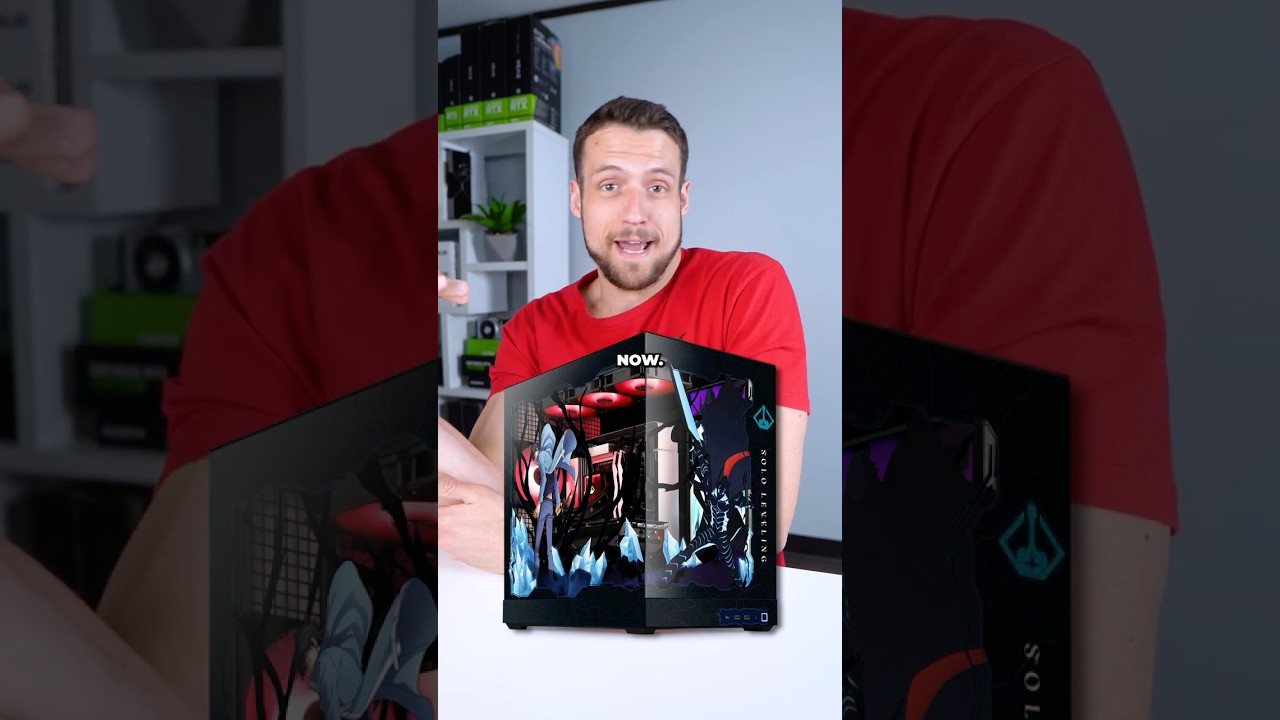

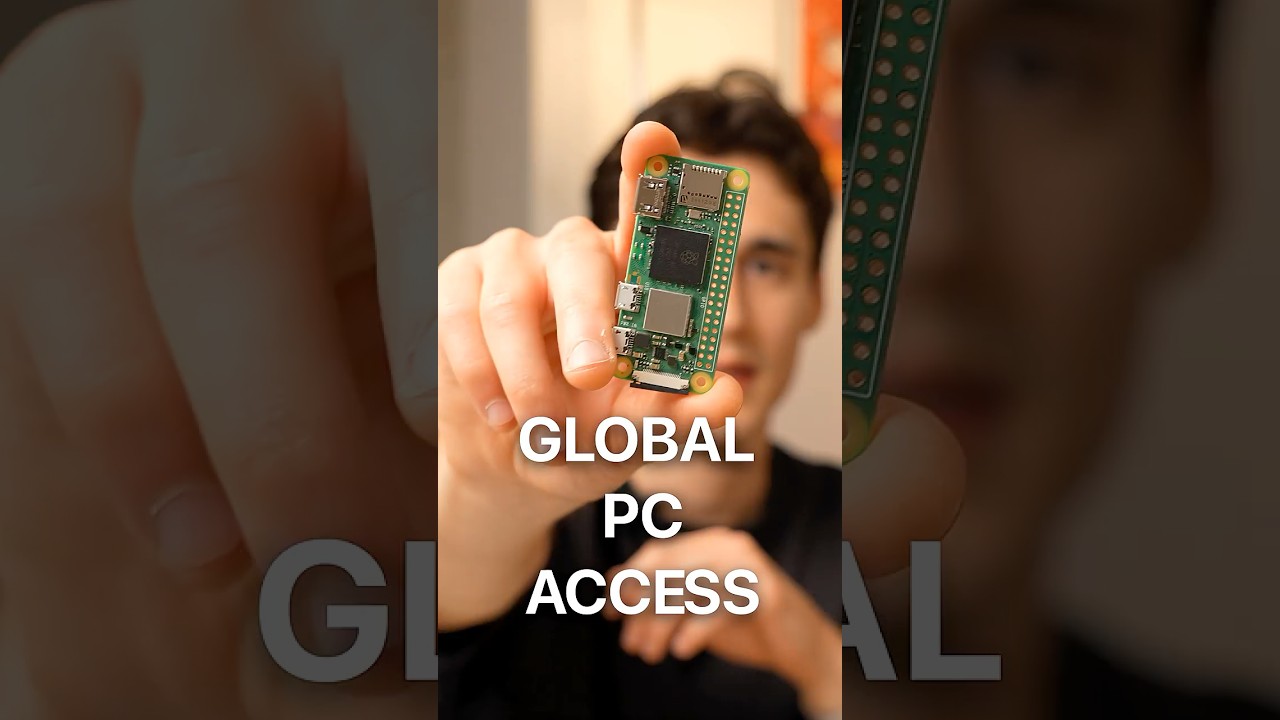
Imagine having your entire desktop computer in your pocket, ready to control from anywhere in the world. I built a tiny, hardware-level remote access device using a *$15 Raspberry Pi Zero 2 W.* Combined with *PiKVM and Tailscale,* this setup gives me complete control over my computer, letting me access my desktop, apps, and anything else on my computer directly from my phone or laptop, *ANYWHERE I go.*
## 🛠️ Everything You'll Need:
Raspberry Pi Zero 2 W: https://amzn.to/3PEggcG
Micro-SD Card: https://amzn.to/489YPa5
HDMI to CSI Bridge: https://amzn.to/4tWY10O
Ribbon Cable: https://amzn.to/4dSzeGv
0.96" I2C OLED Display: https://amzn.to/4c5L9y5
Micro-USB Cable: https://amzn.to/41DjJuC
HDMI Cable: https://amzn.to/419d6Qx
3D Printed Case Files: https://www.printables.com/mod....el/1667517-pikvm-pi-
#shorts #tech #raspberrypi #pikvm #tailscale #remotework #workfromhome #lifehacks #gadgets #pc #diy #productivity #selfhosting #homelab #remoteaccess #enriqueneyra
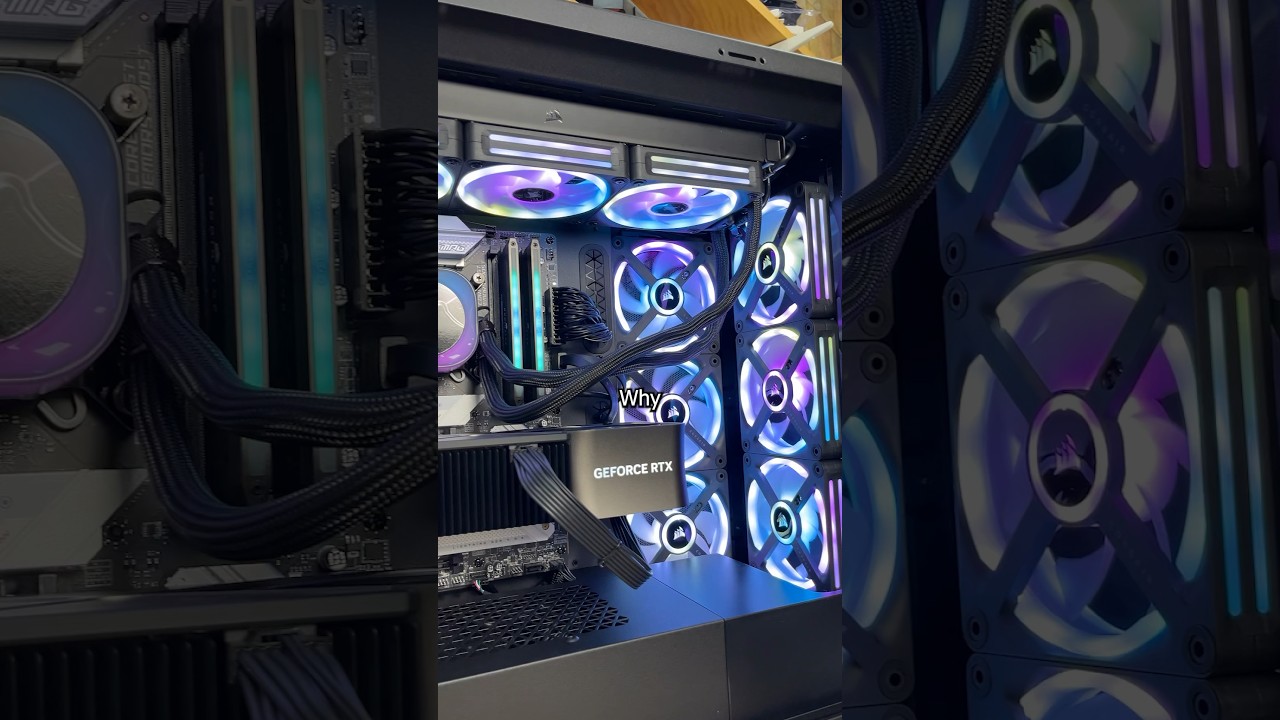
This prebuilt Origin PC has Ubuntu, an RTX 4090 and an i9-14900K with 64GB DDR5 but it’s NOT being used for gaming. My customer needs this high tech computer to run Linux to do machine learning to train AI. Whatever that means.


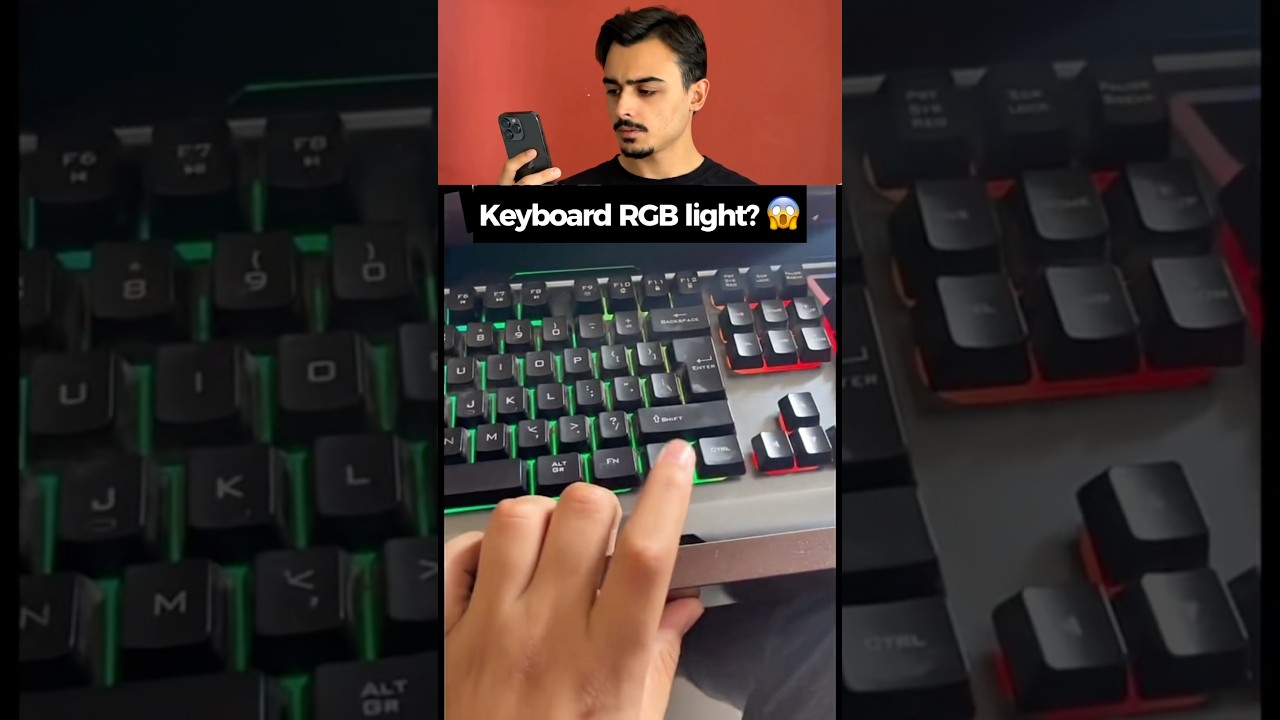
Did you know your keyboard might have a hidden RGB lighting feature? 🤯 In this quick test, we try out a secret key combination to see if it turns an ordinary keyboard into a colorful light show! It worked perfectly on the desktop keyboard, but things didn't go quite as planned when we tried it on the laptop... 😅
Try this hidden combo on your own keyboard and let me know in the comments if it works for you! 👇 What kind of keyboard are you using?
Don't forget to subscribe and like the video for more tech experiments and life hacks! 🚀🔥
@SafakNovruz
#shorts #lifehacks #experiment #tech #viral #trending #keyboard #rgb #gaming #technology #hack #diy #tricks #pcgaming #techhacks #gamingsetup #keyboardasmr #hiddensecrets #pc

Learn more about Computer Science, Math, and AI with Brilliant! First 30 Days are free + 20% off an annual subscription when you use our link: https://brilliant.org/WackyScience/
Oh yeah also I have Instagram now: https://www.instagram.com/wacky.science?igsh=MWUxYXA0NzE4cXpkNQ%3D%3D&utm_source=qr
How do Computers even work? Let's learn (pretty much) all of Computer Science in about 15 minutes with memes and bouncy music. At least the stuff worth remembering if you want to get into programming.
Of course this is not ALL of Computer Science, but I tried to condense a broad spectrum of topics as fast as possible, which could be a good revision for some, or an introduction for others :)
Timestamps:
00:00 Intro
00:30 Binary
00:47 Hexadecimal
01:09 Logic Gates
01:20 Boolean Algebra
01:28 ASCII
01:46 Operating System Kernel
01:56 Machine Code
02:15 RAM
02:25 Fetch-Execute Cycle
02:38 CPU
03:18 Shell
03:25 Programming Languages
03:35 Source Code to Machine Code
03:51 Variables & Data Types
04:44 Pointers
05:01 Memory Management
05:45 Arrays
06:16 Linked Lists
06:38 Stacks & Queues
07:02 Hash Maps
07:30 Graphs
08:07 Trees
08:39 Functions
09:03 Booleans, Conditionals, Loops
09:40 Recursion
10:09 Memoization
10:21 Time Complexity & Big O
10:57 Algorithms
11:15 Programming Paradigms
11:30 Object Oriented Programming OOP
12:12 Machine Learning
12:52 Internet
13:12 Internet Protocol
13:31 World Wide Web
13:47 HTTP
13:57 HTML, CSS, JavaScript
14:15 HTTP Codes
14:28 HTTP Methods
14:35 APIs
14:44 Relational Databases
15:03 SQL
15:27 SQL Injection Attacks
15:51 Brilliant
This took forever to make, so if you like it, send it to your friends
Inspired by Fireship: https://www.youtube.com/@Fireship
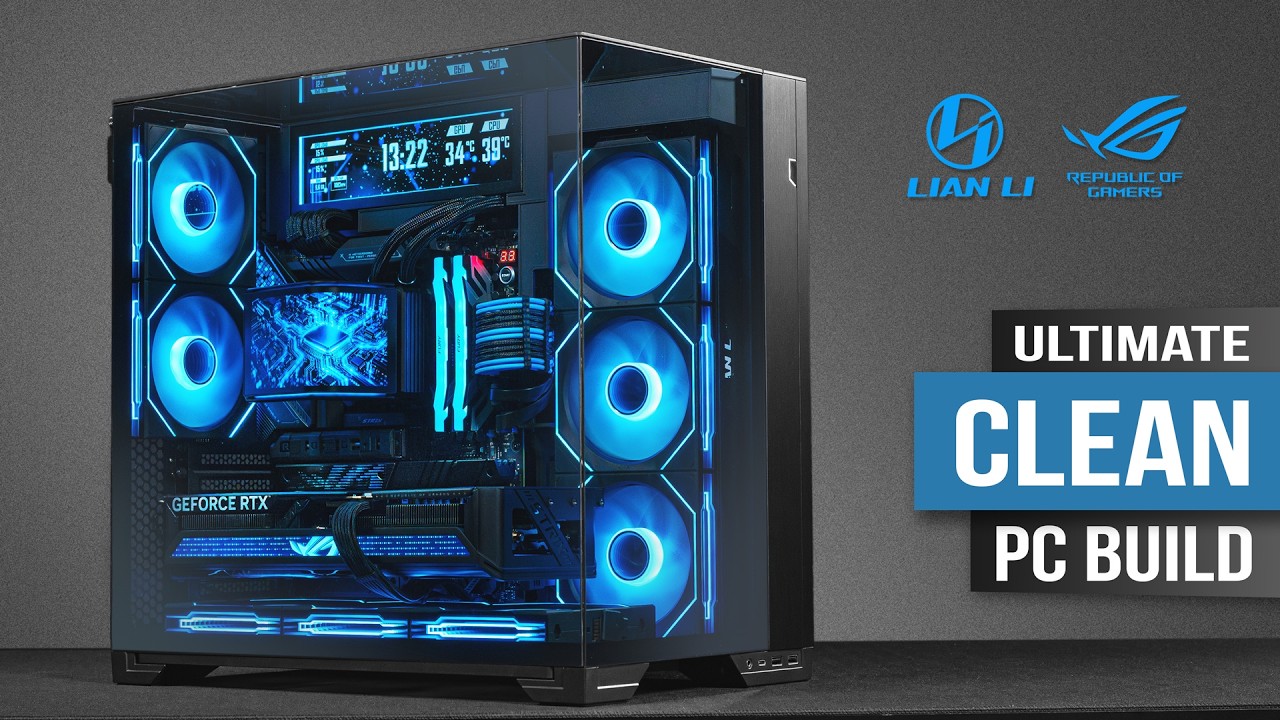
What started as one of the very first PC builds on this channel has now become something very special to me.
Lian Li O11 builds always feel a little different, because this is where PC Elegance really began. And every time I return to the O11 platform I want to make the build cleaner, more refined and more visually complete than the last one. For this project, the goal was an ultra clean Gaming PC Build with a panoramic three-glass-panel look, a blue lighting theme, and as little visual clutter as possible.
At the center of the build is the Lian Li O11 Vision Compact, configured with the glass top panel instead of mesh for a full showcase look. We also used the O11 Vision Compact Stealth Kit together with the Lian Li 8.8" Universal Screen, which makes the case feel even more integrated and premium.
Power comes from the new Lian Li EDGE Gold V2 850W, one of the main highlights of this build. Its compact L-shaped modular design fits perfectly into a clean dual-chamber layout like this, and we paired it with Lian Li’s Ultra-Short 24-pin and 12V-2x6 cable kit to reduce unnecessary cable length and keep the entire PC Build as clean as possible.
The system itself is built around the Intel Core Ultra 7 265K, paired with the ASUS ROG Strix Z890-E Gaming WiFi. For graphics, I used the ASUS GeForce RTX 5070 Ti ROG Strix OC, which fits the overall premium aesthetic of this Custom Gaming PC.
Kingston also plays an important part in this project with the FURY Renegade RGB 48GB DDR5-8400 CL40 kit and the FURY Renegade G5 2TB SSD, giving this Gaming PC both high-speed memory and fast Gen5 storage.
Cooling comes from the Lian Li HydroShift II OLED Curved 360 Fanless, while six UNI FAN SL-INF FLEX 120 Reverse fans and two standard UNI FAN SL-INF FLEX 120 fans complete the airflow and lighting setup.
The final result is exactly what I wanted from this Lian Li Gaming PC Build: clean, panoramic, cable-reduced, full of subtle detail, and built almost entirely around one visual language. For me, O11 builds will probably always be special.
👉 Don't forget to like, subscribe, and hit the bell.
💥 Want to support my PC builds and help bring more epic content to life? Hit that Sponsor button, your support keeps the channel going strong! 💪
🌐 Official Lian Li EDGE Gold V2:
🖤 https://lian-li.com/product/edge-gold-v2/
👉 Find me on socials:
Instagram - https://instagram.com/pc.elegance
LinkedIn - https://linkedin.com/in/skripnikvideo
📩 For cooperation and sponsorship, please, write to pceleganceinfo@gmail.com or DM in LinkedIn
⏲️ Chapters
00:00 - Intro
00:43 - Disassembling the CASE
01:51 - CPU installation
02:13 - SSD installation
02:45 - CPU AIO installation
03:26 - RAM installation
04:12 - MOTHERBOARD installation
04:40 - CPU AIO installation
06:55 - FANS installation
07:38 - PSU unboxing
09:06 - PSU installation
09:39 - Stealth Kit installation
11:26 - GPU installation
13:26 - Airflow Test 🌫️
14:31 - PC Build's Cinematic B-Rolls
✅ PC Build parts used in this video - Amazon Links:
CPU - https://amzn.to/4hRacb4
GPU - https://amzn.to/4rY8Obc
MB - https://amzn.to/4hFkhsR
RAM - https://amzn.to/4s493Sf
SSD - https://amzn.to/4zq4Hai
CASE - https://amzn.to/4hJychu
CASE KIT - https://lian-li.com/calling-al....l-o11-vision-compact
PC SCREEN - https://amzn.to/4hVRVt6
PSU - https://amzn.to/4jP8cmb
CPU AIO - https://amzn.to/4hYx6NS
FANS - 6x https://amzn.to/4hPDerv
FANS - 2x https://amzn.to/3Wkur9Q
✅ My video editing / gaming PC parts - Amazon Links:
CPU - https://amzn.to/4ccrLiZ
MB - https://amzn.to/4vgSfbW
GPU - https://amzn.to/4myZfg8
RAM - https://amzn.to/4tyQq8G
SSD - 2 x https://amzn.to/4c81LFt
PSU - https://amzn.to/3PTt5jg
CPU AIO - https://amzn.to/4doVAz8
CASE - https://amzn.to/4c5ENyB
FANS - 3 x https://amzn.to/4sjRbRM
FANS - 4 x https://amzn.to/41jKGDw
✅ My video gear Amazon Links:
Camera 1 - https://amzn.to/41DSct9
Camera 2 - https://amzn.to/3xH712P
Camera 3 - https://amzn.to/3xNeWeX
Camera 4 - https://amzn.to/4cX1S5l
Lens 1 - https://amzn.to/3W6bbL0
Lens 2 - https://amzn.to/3W2VILC
Lens 3 - https://amzn.to/4cJ0W4x
Lens 4 - https://amzn.to/4clmkwV
Light 1 - https://amzn.to/4eW9MOu
Light 2 - https://amzn.to/4blhEWE
Light 3 - https://amzn.to/3L7JGKE
Light 4 - https://amzn.to/45OQTZJ
DISCLAIMER: some of the links in this video description and on my channel will lead you to Amazon. As an Amazon Associate, I earn from qualifying purchases. This means that if you click on these links and buy something, I get a small commission at no extra cost to you. Your support through these links helps me keep creating more great content. Thank you!
🌟 Huge thanks to Lian Li and Kingston Technology for sponsoring this video 🚀
🌟 Huge thanks to ASUS for supporting my creative ideas 🚀
💰 Buy Me a Coffee:
If you want to support my channel with a donation you can do it at Buy Me a Coffee platform.
https://buymeacoffee.com/pcelegance
#rtx5070ti #pcbuild #gamingpc #lianli

![Rowdy Rebel Ft. Bobby Shmurda - Computers [Instrumental] (Prod. By Lil Chriiz) + DOWNLOAD LINK](https://i.ytimg.com/vi/dkr-QbE7Zb0/maxresdefault.jpg)
DOWNLOAD LINK: http://hipstrumentals.com/2019..../08/rowdy-rebel-feat
For ORIGINAL INSTRUMENTALS or to UPLOAD BEATS signup: http://www.hipstrumentals.net
Industry Instrumentals: http://www.hipstrumentals.com
Twitter: http://www.twitter.com/hipstrumentals
Facebook: http://www.facebook.com/hipstrumentals
OriginalsYoutube: http://www.youtube.com/hipstrumentalsorig
Rowdy Rebbel Ft. Bobby Shmurda - Computers [Official Instrumental]

What's an all Intel PC look like these days? Been a while since I bought an Intel GPU, but I'm excited to try out the Arc Pro B60 card with its 24gb of vram. Despite it being built for productivity, I wonder how well it can play video games 🤔 @microcentertech #pc #pctips #pcbuilding #mryeester
need new thermal paste? check out YeesterPaste and all my thermal paste accessories! www.yeesterpaste.com

Buying a computer and disconnecting it from the internet to maintain your privacy is quietly becoming a national security risk. Big Tech and government regulators are actively engineering the truly sovereign, offline personal computer out of existence. Through invasive operating system updates like Windows 11's Recall, constant background screen-recording, and local file searches that ping corporate servers, your machine is being transformed into a surveillance tool. Driven by the threat of decentralized AI, tech giants are now lobbying to classify unrestricted local compute power as a hazardous weapon, ensuring that your private data is forced through their heavily monitored cloud terminals where even personal diary entries can be reported to law enforcement.
Support our content! Resist Flock City Tee!
https://loyalmoses.com
They're Banning Your Home Servers
https://youtu.be/9KOau7CLCCU
It's Over. They Just Banned Anonymous Browsing
https://youtu.be/YteF9zkV80M
This lockdown extends deep into the hardware itself, with embedded technologies like Microsoft Pluton and mandatory Secure Boot acting as remote tethers that prevent you from running unauthorized operating systems. Manufacturers are eliminating modularity and breaking offline setup flows, turning modern PCs into leased, authenticated terminals rather than property you actually own. As crackdowns on micro-manufacturing and local tech increase, the only defense against this corporate enclosure is to embrace true hardware ownership, run local-first software and AI models, and disconnect as many of your devices from the internet as possible before it is too late.
#homecomputer #pc #ownership

Go to http://brilliant.org/BranchEducation/ for a 30-day free trial and expand your knowledge. Use this link to get a 20% discount on their annual premium membership.
Computers used to be huge, taking up an entire room, yet modern smartphones that fit in your pocket are millions of times more powerful than those room‑sized mainframes. So how did we get from heavy, slow computers to incredibly powerful smartphones? Well, in this video, we’ll explore the evolution of computers over the past 80 years and also look ahead to the future of computing and AI processors. Throughout the video, we’ll focus not just on transistor counts and Moore’s law, but on the fundamental technological shifts between generations of computers. So stick around and let's explore the Evolution of Computers!
Table of Contents for The Evolution of Computers
00:00 - The Evolution of Computers 1945-2026
00:57 - Computer Disassembly
02:05 - Much more than Moore's Law
03:30 - The 8 Ages of Computer Evolution
05:12 - Dozens of Zeroes of Processing Power
06:27 - Age 1: Transistorization
08:44 - Age 1: The First Transistorized Computers
09:45 - The Evolution of Computer Memory
11:11 - Brilliant Sponsorship
12:58 - Age 2: Packaging Transistors
15:41 - Age 2: Why are Mainframes So Big?
19:42 - Age 2: The beginning of the Integrated Circuit
22:57 - Age 2: The First CPU
25:30 - How do technology leaders fall behind?
29:55 - Age 3: The Frequency Race
30:29 - Behind the Scenes
31:51 - The 8 Ages of The Evolution of Computers
33:03 - Thank You to Our Supporters
If you want to support our production of the next episodes on the Evolution of Computers,
Any contribution would greatly help make these videos. https://www.patreon.com/brancheducation
Branch Education Website: https://www.branch.education
Branch Education Facebook: https://www.facebook.com/BranchEducation/
Primary Animator and Director: Adrei Dulay
Secondary Animators: Parvesh Khatri, Sahil Khatri
Research, Script and Editing: Teddy Tablante
Twitter: @teddytablante
Modeling: Prakash Kakadiya & Adrei Dulay
Image and Thumbnail Editing: Adrei Dulay & Sahil Khatri
Voice Over: Phil Lee
Sound Design by Drilu: www.drilu.studio
Sound Design and Mix: Luis Huesca
Erratum:
Attribution:
Photo Attribution in Order of Appearance
Harvard Mark 1 | Computer. Public Domain. Wikimedia Commons
Colossus Mark 1 | Computer. Bletchley Park. Farai Gandiya. Wikimedia Commons
The Z3 | Computer. Deutsches Museum, Munich. Venusianer. Wikimedia Commons
"Victory"|Computer. Public Domain. Wikimedia Commons
1st-Transistor. Unitronic. Wikimedia Commons
RCA 501| Mainframe. RCA Corporation. Via Computer History Museum
IBM 7090| Mainframe. NASA. Wikimedia Commons
NEAC 2203 | Computer. Statistics Bureau, Japan. NEC. Wikimedia Commons
Mercury Delay-Line Store of the Univac I Computer. Deutsches Museum, Munich. Tiia Monto. Wikimedia Commons
Williams-Kilburn Tube. Manchester Mark I. ArnoldReinhold. Wikimedia Commons
Left to Right
IBM System 360 Model 30| Mainframe. Computer History Museum. ArnoldReinhold. Wikimedia Commons
IBM System 360 Model 75|Mainframe. University of Waterloo Archives. Wikimedia Commons
IBM System 360 Model 91| Mainframe. Public Domain. Wikimedia Commons
IBM System 360 Model 20 | Mainframe. Oslo Museum. Ørnelund, Leif. Wikimedia Commons
IBM System 360 Model 25| Mainframe. Vienna. JonnyBrazil. Wikimedia Commons
IBM System 360 Model 40| Mainframe. Kyoto-Day9. Wikimedia Commons
IBM System 360 Model 44| Mainframe. Living Computers: Museum+Labs. Wikimedia Commons
IBM System 360 Model 50| Mainframe. Sandstein. Wikimedia Commons
IBM System 360 Model 65| Mainframe. Living Computers: Museum+Labs. Wikimedia Commons
IBM System 360 Model 67| Mainframe. Public Domain. Wikimedia Commons
IBM System 360 Model 85|Mainframe. Public Domain. Wikimedia Commons
IBM System 360 Model 195| Mainframe. German Federal Archive. Wikimedia Commons
SMIL Drum Memory|Memory. Nixdorf. Wikimedia Commons
Apollo Guidance Computer NOR-gate die| IC. Public Domain. Wikimedia Commons
Apollo Guidance Computer| Computer. Steve Jurvetson. Flickr
the 74181 TTL 4 bits ALU schematics. Stéphane Tsacas. Wikimedia Commons
Altair 8800 | Computer. California. Michael Holley. Wikimedia Commons
Sphere 1 | Personal Computer. Ben Zotto. Wikimedia Commons
TRS-80 Model 1 | Personal Computer. Prolete. Wikimedia Commons
TRS-80 Model 1 | Personal Computer. Prolete. Wikimedia Commons
United States v. International Business Machines Corp.
“I.B.M. Antitrust Suit Opens With U.S. Seeking Break‐Up.”
New York Times, May 20, 1975, Business & Finance, 53.
#Computers #HistoryofComputers #HowItWorks


Provided to YouTube by Epic/GS9
Computers · Rowdy Rebel · Bobby Shmurda
Computers
℗ 2014 Epic Records, a division of Sony Music Entertainment
Released on: 2014-10-02
Associated Performer: Rowdy Rebel feat. Bobby Shmurda
Composer, Lyricist: Chad Marshall
Composer, Lyricist: Christopher Baskin
Producer: Lil' Chriiz
Composer, Lyricist: Ackquille Pollard
Mixing Engineer: Anthony Daniel
Mastering Engineer: Chris Gehringer
Auto-generated by YouTube.


New to computers, PCs, or Windows 11?
This computer basics for absolute beginners tutorial is a step-by-step guide to help you feel more confident using a PC. It’s perfect for true beginners, adults returning to technology, work-from-home beginners, and anyone who wants a calm, easy-to-follow introduction to basic computer skills.
In this video, you’ll learn how to use the keyboard and mouse, explore the desktop, create and find files, browse the internet, use the taskbar, manage open windows, organize folders, use the Recycle Bin, and understand basic Windows 11 settings. If technology has ever felt overwhelming, this is a simple place to start. As your Digital Trail Guide, I walk you through everything step-by-step at a calm, easy pace.
🎯 In this video, here's what we will discuss:
0:00 The learning mindset
1:08 Mastering the keyboard & mouse
2:31 Exploring the desktop
4:38 Creating your first file
6:24 Find your first file
7:00 Browse the internet with Microsoft Edge
9:10 Understanding the taskbar
11:26 Managing open windows
13:01 Using right-click menus
13:59 Creating and organizing folders
15:16 Deleting a file (and undoing it)
15:55 Practicing a Google search
17:17 Using the recycle bin
18:39 Discovering the system tray
20:21 Controlling windows by snapping
22:09 Settings — uninstalling an app
23:47 Settings — using Windows update
🧭 Start Here (Free Windows 11 Starter Map)
If you're new to computers, download my free beginner guide to Windows 11:
https://digital-trail-guide.kit.com/311b616065
🏕️ About Digital Trail Guide
My name is Ryan, and I help beginners feel comfortable with technology so they can work, create, and live with more freedom — one simple step at a time.
🛒 Printable Tech Guides & Cheat Sheets
https://www.etsy.com/shop/DigitalTrailGuide
🌄 Follow Digital Trail Guide
https://facebook.com/DigitalTrailGuide
https://www.instagram.com/digital.trail.guide
https://www.tiktok.com/@digital.trail.guide
#ComputerBasics #Windows11 #BeginnerTutorial
![✅ Best Prebuilt Gaming PC 2026 [Wait Until You See What’s #1]](https://i.ytimg.com/vi/be6j3qHz7d0/maxresdefault.jpg)
✅ Best Prebuilt Gaming PC 2026 – Looking for the best prebuilt gaming PC? We’ve selected the top options based on gaming performance, CPU and GPU power, cooling, upgradeability, build quality, storage, RAM, and overall value. Whether you’re playing AAA games, competitive esports titles, or looking for a powerful PC for gaming and productivity, we’ve got you covered. Stay tuned to find the right prebuilt gaming PC for your gaming needs and budget!
► Check the Updated Product Prices of the Best Prebuilt Gaming PC of 2026 from the Link Below:
►Amazon Links◄
► 6. Thermaltake Quartz i1460 (Best Budget) - https://geni.us/GwvY
► 5. CyberPowerPC Gaming PC (Best 1080p) - https://geni.us/Vkql
► 4. msi Codex Z2 (Best 1440p) - https://geni.us/2qbvs
► 3. Lenovo Legion Tower 5i (Best 1440p High-Refresh) - https://geni.us/GzWAq
► 2. Alienware Aurora (Best 4K Gaming) - https://geni.us/ZwTCm1
► 1. Corsair Vengeance a7500 (Best High-End 4K Gaming) - https://geni.us/EdUw9
➖➖➖➖➖➖
💥Copyright Issue:
If there is any copyright infringement send us an e-mail to: teamforemostlist@gmail.com
© All rights reserved by respective owners.
►Disclaimer◄
ForemostPicks is a participant in the Amazon Services LLC Associates Program, an affiliate advertising program designed to provide a means for sites to earn advertising fees by advertising and linking to Amazon.com. As an Amazon Associate, I earn from qualifying purchases, meaning no additional cost to you.